Your school's records, all in one place.
Jotter keeps fees, attendance and report cards together, so the office, the teachers and the head all work from the same up-to-date information, on any phone or computer.
Grade 3 · this week Try it – tick a box
| Pupil | Mon | Tue | Wed | Thu | Fri |
|---|---|---|---|---|---|
| Everyone |
1 of 2 present today Saved
Everything a school office keeps in books, in one app.
Each part works on its own. They share one list of pupils, so you type each name once.
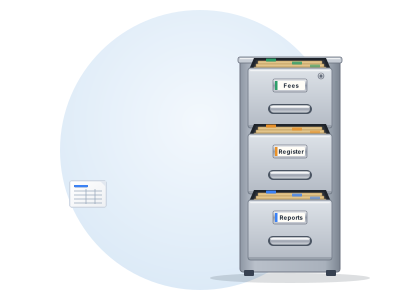
Fee tracker
Record every payment, see who owes what each term, and see the total collected. Fee Tracker handles part-payments, discounts and extras.
Daily attendance
Teachers mark the register from a phone in seconds. Print attendance for any week, month or term, and see who has been absent several days in a row.
Report cards
Enter scores and comments. Jotter works out the grades, fills in the days present from the register, and prints neat report cards.
Expense tracker
Keep school spending in order, so the office can see money in and money out side by side.
Parent portal
Parents sign in with their child's code and see that child's approved reports. The head signs off each report before parents see it.
Birthdays and reminders
See whose birthday is coming up, and who needs a follow-up on fees or absences.
Find any pupil in seconds, not by turning pages.
Checking one child on paper means the fees book, the register and the report file, one page at a time. In Jotter you type a few letters of their name, and their fees, attendance and reports come up together.
- One search across every class and every year
- Fees, attendance and reports for that child on one screen
- Past terms are still there, with no old books to dig out
Students Sample data Try it – type a name
Each person sees their part of the school.
The head and office see everything. A teacher sees their own classes. You decide who gets which tools.
- Teachers mark attendance and enter scores for their own classes
- The head approves each report card before anyone prints it
- A read-only fee view for staff who check balances
- An activity log shows who changed what, and when
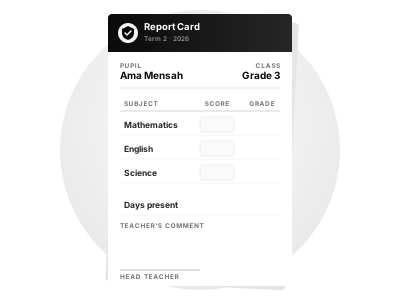
Reports parents can read on their phone.
Once the head approves a report, the parent opens it on their phone with their child's code. No paper goes missing.
- A separate code for each child
- Parents see approved reports
- Works on any phone, nothing to install
Simple to start.

We set up your school
Your own address, your school's name and logo, your classes and fee structure.
You add your people
Add your pupils and give each teacher their own sign-in, with the access they need.
You use it every day
Mark the register, record payments and write reports, from any phone or computer.
We keep children's information private.
Sign-in required
You see nothing until you sign in, and the administrator sets each person's access.
Your own school, your own data
Every school has its own separate system. No school can see another school's records.
Backed up every week
Jotter saves a copy of your records every week, so you can recover from a mistake.
Things schools usually ask.
Do we need the internet?
Yes. Jotter runs in the web browser, so it needs an internet connection to sign in and save. Mobile data on a phone is enough.
Can we bring our existing records?
Yes. You can import your pupil list, with names, classes, birth dates and parents' details, from an Excel sheet.
Who owns our school's data?
Your school does. Each school has its own separate system. Jotter looks after the records on your behalf and never sells them or shares them for advertising.
What do parents need?
A phone with internet. They open the parent portal and type their child's code. Nothing to install.
Which phones and computers work?
Any phone, tablet or computer with an up-to-date web browser: Android, iPhone, Windows or Mac.
How much does it cost?
It depends on the plan and the size of your school. See Pricing, or ask us for a quote.
Built inside a real school.
Jotter was built by Joseph-Bryan Asafo-Boakye for a school in Ghana that was keeping fees, registers and reports in separate books and spreadsheets. It grew one request at a time into the whole school's system. The office, the teachers and the head asked for every part of it.
Used every day at



Want to see Jotter with your own school?
We'll show you how it works and set up a trial for your school.
Try the demo